
Because the Stanford Encyclopedia of Philosophy (SEP) is such a valuable philosophical resource, some have been inspired to make it possible for others to work with it in new ways.
One example of this, posted about earlier this year, is Joseph DiCastro’s visualization-based search interface for the SEP. It’s creative and interesting and might allow you to more easily see connections between topics.
Here’s another example, brand-new. It’s less radical, but might have broader appeal. Called “SEP+”, it’s a free Chrome browser plug-in that changes how the SEP looks and functions when you visit it. It was created by Andrew Shen, an MA student in philosophy at the University of Pennsylvania.
Here’s what it does:
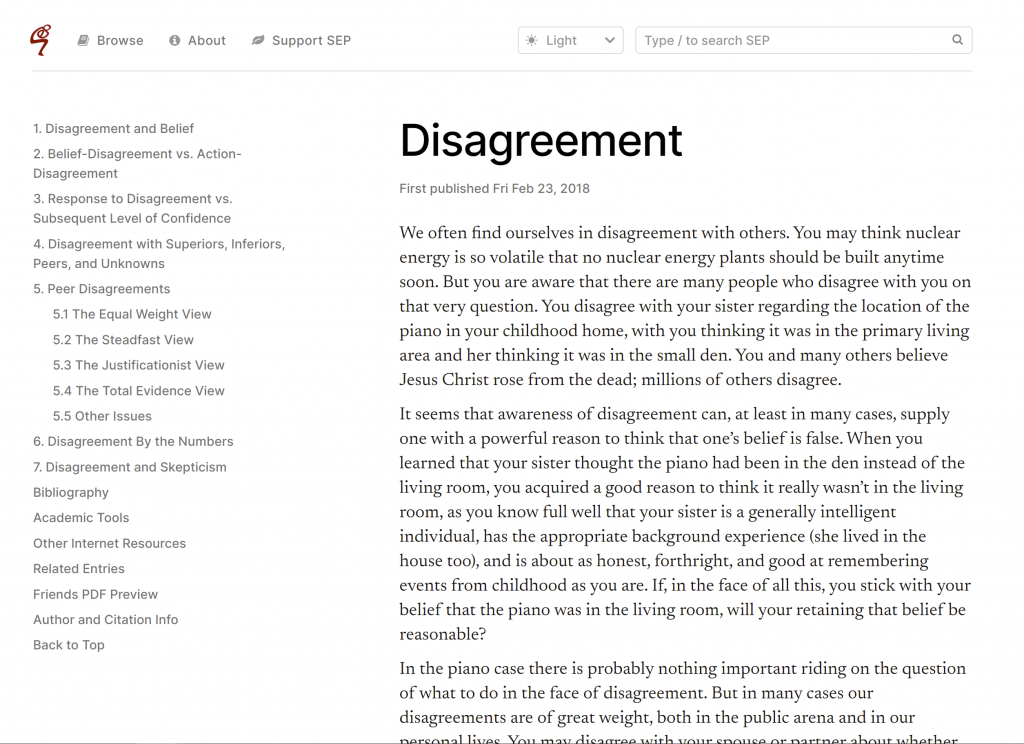
- moves each article’s navigation outline to the side of the page (it stays with you as you move through the article)
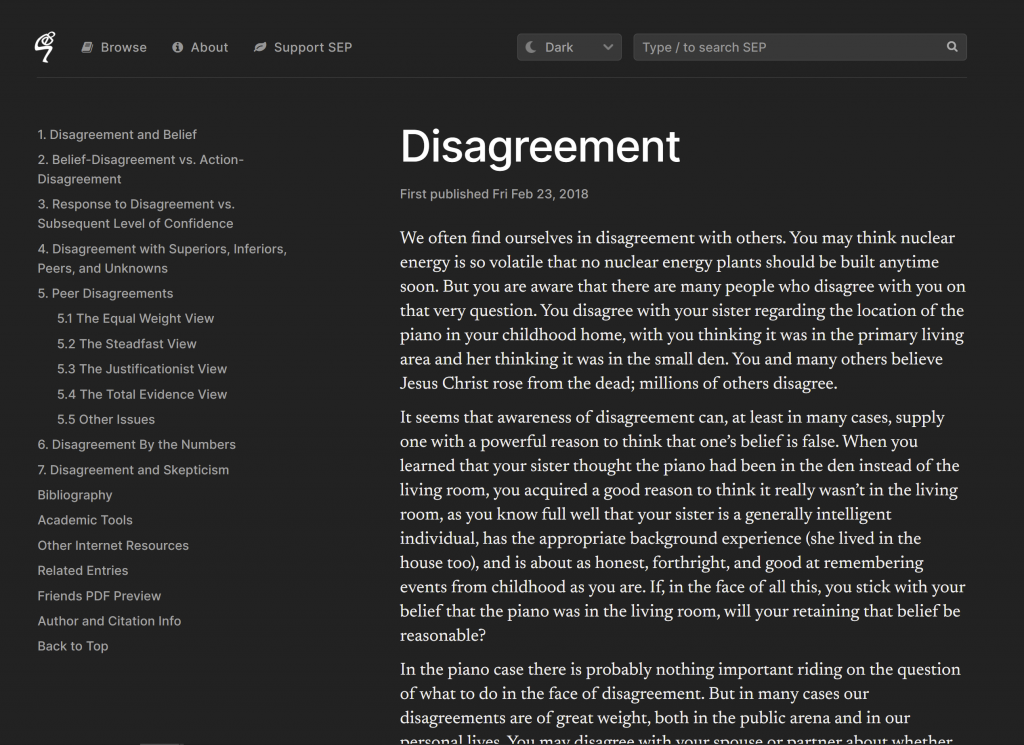
- offers the option of “dark mode”
- adds keyboard shortcuts for search
- removes irrelevant sections when printing
- improves the typography.
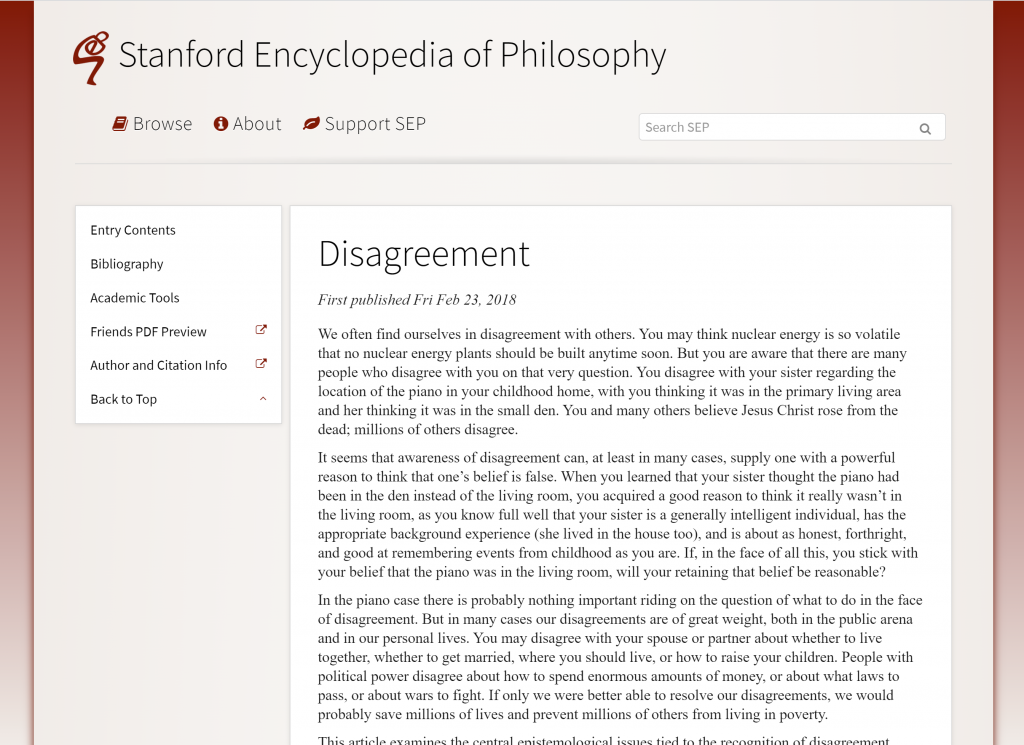
What does it look like? Here’s the “before” shot:
Here’s the “after” (yes, I installed it):
And here’s dark mode:
Mr. Shen says that the extension does not collect any user data, nor does it serve ads. And, he says “I don’t ever intend to charge money for it.”
You can check out and download the extension from this page.


I just subscribed and paid for the the “friends of the SEP” program to support their work and also to download printable pdfs. This extension will effectively replace their service.
Thanks for reminding everyone about the Friends of SEP program, which is worth joining apart from the printable PDFs, because it supports the SEP. Membership is very inexpensive. You can find out more about it here.
I don’t understand how the extension replaces the service. Maybe I’m missing something. (I also paid for the membership)
By optimizing print-to-pdf.
That was my guess, and I’ve tried. It’s not nearly as printer friendly as the printable pdfs you get from your membership.
I disagree with the top comment – the “Support SEP” link is still on top of the new page and it is as predominant as the old page. I think this extension will not replace the SEP service. Rather, it will enhance the service.
A fine little thing. I’ve installed this now. My thanks to Mr Chen, and may he flourish in his PhD!
Looks nice! The one additional thing I often find myself looking for on the SEP is for the author’s name to be listed at the top, instead of near (but not precisely at) the bottom, where it’s hard to find.
FWIW, the authorship of an SEP entry may be found by clicking the link “Author and Citation Info” towards the bottom of the menu on the left side of the entry’s first page. It would be better still, of course, if authors received proper bylines directly under the titles of their articles.
In case anyone is interested, I wrote a similar, though less sophisticated, Chrome extension for Oxford Scholarship Online, which makes it more a lot more readable than it currently is.
The extension can be found here: https://chrome.google.com/webstore/detail/beautify-oxford-scholarsh/lkbbffclefalohcflpbinbgoebjgcpge?hl=en
That is really helpful! I find the Oxford Scholarship stuff so unbearable in appearance