
Five years ago, Andrew Shen created a browser extension, SEP+, that improved the experience of using the Stanford Encyclopedia of Philosophy in various ways. He has now released an update, SEP+ v2, which does even more.
The old version moved each article’s navigation outline to the side of the page, offered the option of “dark mode”, added keyboard shortcuts for search, removed irrelevant sections when printing, and improved the typography.
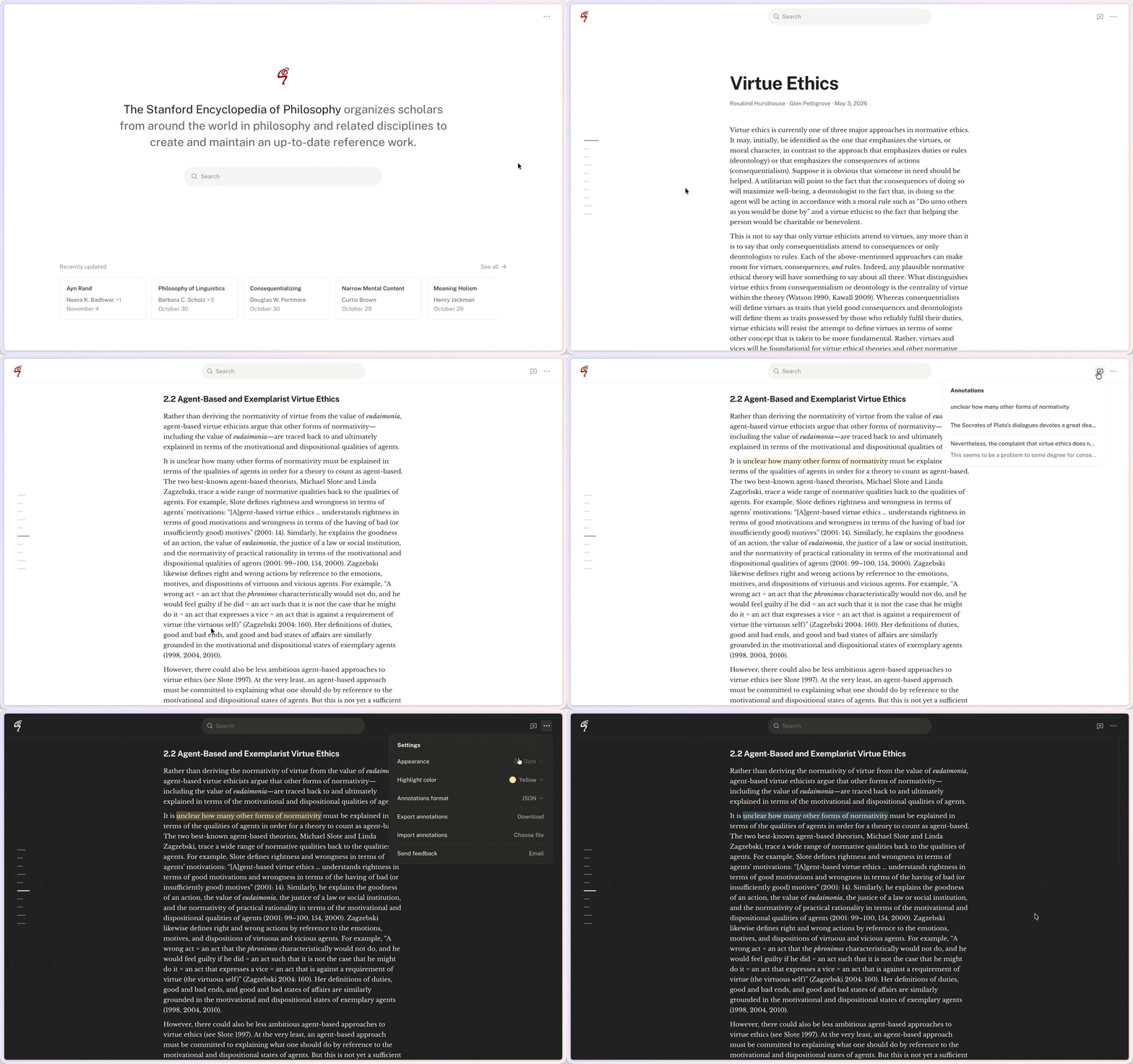
The new version does all that but also includes redesigned home, article, and search pages and a “command palette” for instantly searching and jumping to any entry.
It also includes two new functions that a lot of users will appreciate:
- Hover previews for footnotes and bibliography citations, with links to PhilPapers
- Ability to highlight or annotate articles, stored locally and exportable as JSON/Markdown/Word
Andrew Shen, who has an MA in philosophy, is a product designer at Notion. He has done a fantastic job bringing his design skills to the project of enhancing the SEP.
Here’s a demo:
Shen notes: “As before, it’s free, collects no user data, serves no ads, and only has access to plato.stanford.edu.”
It’s available here for Chrome, and here for Firefox.
Once SEP+ v2 is installed in your browser, you simply need to visit the SEP at its regular site; the extension operates automatically. Check it out.
What a great idea. Though I wonder whether the original text formatting from the SEP could be rescued. Using the extension makes the text way too narrow to me.
I was making an SEP plugin last year but this one looks a lot more polished. Some suggestions: include the bibliography, notes, etc., in the TOC; make citing easier by adding a “cite” button on top (both Chicago and BibTeX). Also, some of the works fail to render on hover.